









How to Set a Boot Password on the Shengmilo S900 PRO Display

The Shengmilo S900 PRO electric bike is equipped with an advanced display system that allows riders to customize various settings, including the boot password function. Setting a boot password helps prevent unauthorized access and adds an extra layer of security when using your e-bike.
Follow the steps below to set up or change the display boot password on your S900 PRO.
Step 1: Enter the Display Settings Menu
- Turn on your Shengmilo S900 PRO display.
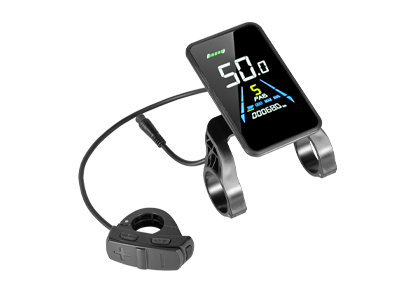
- Press and hold the 【+】 button and the 【−/Walk Assist】 button simultaneously for a few seconds to enter the settings menu.
- When prompted, enter the menu password:
Default Menu Password: 1212
To enter the password:
- Short press the 【+】 button or 【−/Walk Assist】 button to adjust the number.
- Short press the 【i】 button to move to the next digit.
- After entering 1212, press the 【i】 button to confirm.
Step 2: Access Boot Password Settings (P21)
- In the settings menu, press the 【+】 button or 【−/Walk Assist】 button to browse the available parameters.
- Find:
P21 – Boot Password Setting
- Press the 【i】 button briefly to enter the password setting page.
- The selected digit will start flashing, indicating it can be edited.
Step 3: Set Your Boot Password
To create your new boot password:
- Press the 【+】 button or 【−/Walk Assist】 button to increase or decrease the number.
- Press the 【i】 button to move to the next digit.
- Repeat the process until all digits are set.
Once completed, confirm your new password.
Step 4: Save Settings and Exit
After finishing the boot password setup:
- Press and hold the 【+】 button and 【−/Walk Assist】 button simultaneously to exit the settings menu.
- The new password will be saved automatically.
If there is no button operation for approximately 1 minute, the display will automatically exit the settings menu and save the updated settings.
Important Notes
- Please keep your boot password in a safe place.
- If you forget your password, contact Shengmilo Customer Support for assistance.
- The boot password only protects access to the display system and does not replace a physical bike lock.
Leave a comment